
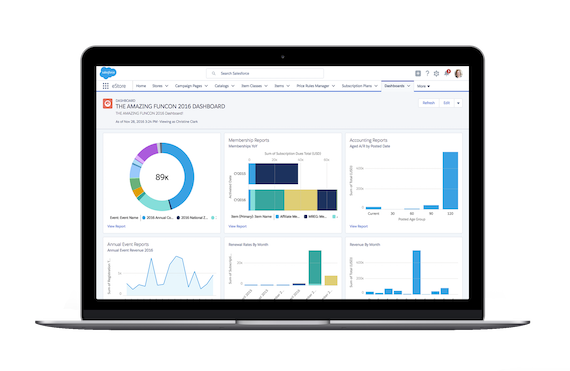
Gain Instant Access to Real-Time Business Insights
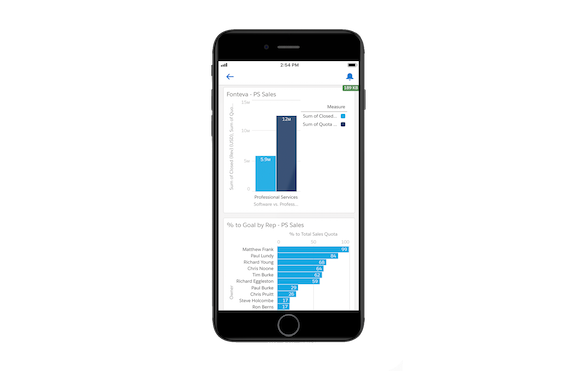
Access Association Data Anywhere
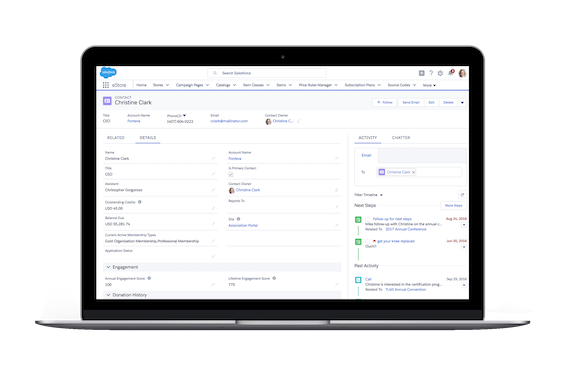
Predict Member's Needs
Why Association Executives Choose Fonteva
Lower Your Cost
Empower Your Staff
Future-Proof Your Organization
Elevate the Member Experience
Read what our customers have to say

Salesforce AppExchange

Capterra


ReviewMyAMS


Popular Features

Member CRM

Event Management

eCommerce & eStores

Online Communities

Reports & Dashboards

Certification & Accreditation

Mobile Ready

Finance & Revenue Accounting
What our users are saying...
Association Management Software FAQ
What is an AMS?
Association management software (AMS) is a specialized platform designed to help professional and trade associations manage their daily operations. It is built specifically for managing associations’ unique workflows like storing member data, processing dues, and facilitating communication with members.
What is the difference between an AMS and a standard CRM?
While a customer relationship management (CRM) system is designed to manage broad sales and marketing pipelines, an AMS is built specifically for the unique complexities of membership life cycles. For example, a standard CRM tracks customer leads and opportunities, whereas an AMS offers the features needed to manage complex association processes, such as organizational memberships, local chapter hierarchies, and non-dues revenue streams.
However, the most powerful solutions combine the best parts of both tools. Fonteva’s Salesforce-native AMS provides the data analytics, security, and scalability of a CRM, alongside the specialized tools association executives need.
How long does it take to implement a new AMS?
The timeline for implementing a new AMS varies depending on organization size, data complexity, and customization needs. On average, this can range from three to nine months.
To ensure a smooth and timely rollout, dedicate time to the discovery phase. During this step of the implementation process, your association will clearly define its operational workflows, clean up legacy data, and appoint a dedicated internal project manager to keep your implementation on schedule and within budget.
How difficult is the data migration process from our legacy system?
This will vary depending on various factors, particularly the condition of your current database. If your legacy system contains duplicate records, outdated contact information, and unstructured data, you’ll need to clean up the database before transferring information over to a new system.
Once data has been cleaned, the migration process typically involves:
- An audit to identify what data is necessary to keep versus what can be archived.
- Data mapping to align the fields from your old system to the architecture of the new AMS.
- Test migrations involving multiple trial runs to verify data integrity and accuracy before the migration.
How do we ensure our team adopts the new AMS?
Prioritize change management from day one by involving key departmental users during the initial selection and testing phases. This will help you ensure your AMS actually solves their pain points and fits into their workflows.
To promote long-term adoption, focus on:
- Role-based training: Provide targeted training sessions tailored to specific roles and departments rather than generic overviews.
- Intuitive dashboards: Set up personalized dashboards so staff can immediately see the metrics they care about upon logging in.
- Eliminating workarounds: Formally sunset legacy tools and manual spreadsheets to ensure the entire team uses the new AMS.