Salesforce offers a multitude of products, ranging from core clouds to industry clouds to artificial intelligence capabilities like Einstein AI, all built on its powerful CRM—not to mention the more than 9,000 apps listed on the AppExchange. However, some organizations don’t take full advantage of Salesforce for an important part of their strategy: event management!
While Salesforce doesn’t offer a specific platform dedicated to event management, its powerful data tracking and analysis features are invaluable when monitoring attendees and assessing event success. Additionally, Salesforce can be a big help when it comes to managing logistical aspects of your association’s events, including event registration.
In this post, we’ll focus on the registration process, explore the basics of Salesforce event registration, and discuss ways to cultivate a more effective event registration experience. Let’s start by answering some common questions and then move into the strategies.
Salesforce Event Management Basics
Does Salesforce have event management capabilities?
Again, Salesforce doesn’t have a dedicated event management cloud or platform, but it does offer tools to help organizations like yours oversee and execute events. Here are the event management tools your association can use on or with Salesforce:
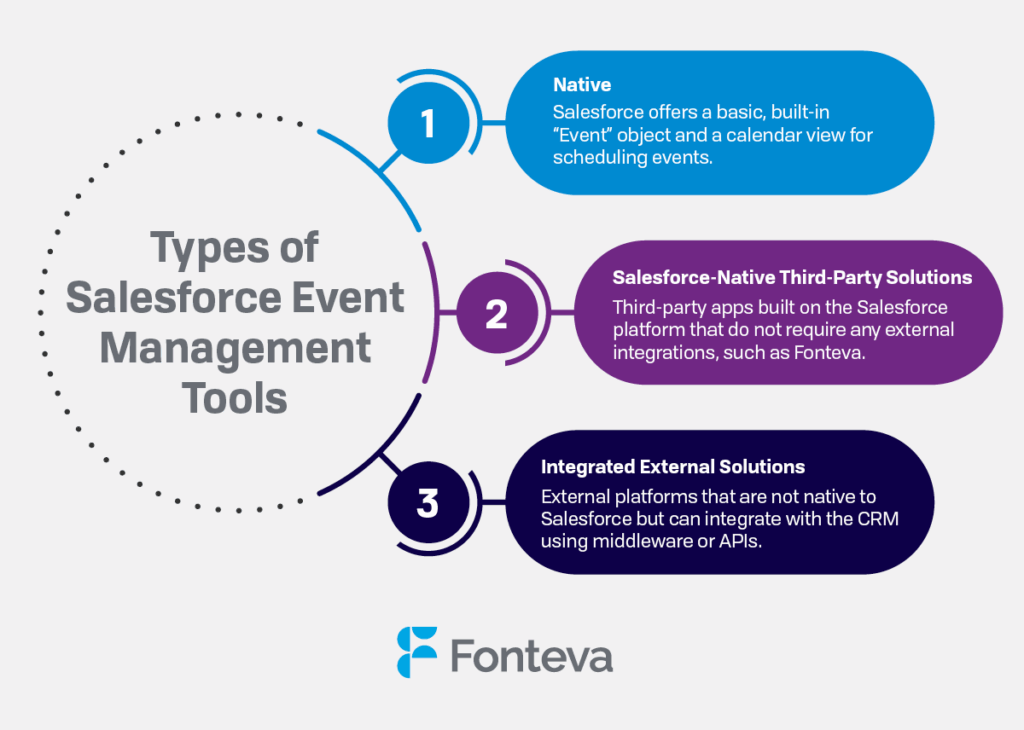
- Native: Salesforce offers a basic, built-in “Event” object as well as a calendar view for scheduling events. However, this is typically used for internal reminders or simple event tracking (e.g., scheduling a staff meeting or one-on-one call with a member), not full-fledged event management.
- Salesforce-native third-party solutions: Third-party apps built on the Salesforce platform that do not require any external integrations ensure all of your event and association data is consolidated in your CRM. For instance, Fonteva’s Salesforce-native association management system (AMS) offers robust event planning tools.
- Integrated external solutions: Your association can also use external platforms that are not native to Salesforce but can integrate with the CRM using middleware or APIs. However, setting up and maintaining these integrations can be time-consuming.
Why use Salesforce event registration tools?
As mentioned, there are certain drawbacks to using external tools. Simply put, these integrations can:
- Be time-consuming and technically complex, increasing implementation timelines.
- Lead to fragmented or incomplete data (e.g., not every field in the registration form transfers over to Salesforce).
- Limit your other tech options, as not every tool can function with custom CRM setups.
- Increase risk of data errors and require ongoing maintenance, especially as both platforms evolve.
By choosing a Salesforce-native tool like Fonteva instead, your association can avoid the headaches, extra time, and wasted resources that come with these issues. Additionally, you’ll have access to Salesforce’s many comprehensive tools and benefit from frequent updates, new releases, and top-of-the-line security standards.
How can associations manage events via Salesforce?
The way your association manages events in Salesforce depends on the solution you choose, the size of your organization, and what types of events you’ll host. If you choose a comprehensive solution like Fonteva, you can leverage features like:
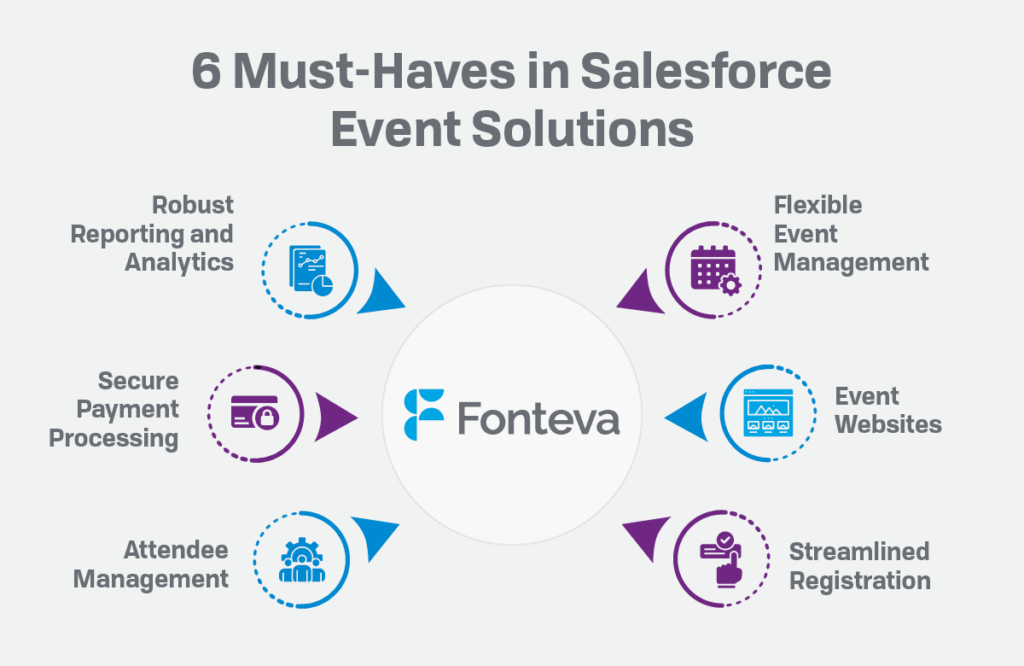
- Flexible event management: Easily manage any type of event from the platform, whether it’s a simple member meeting or a multi-day conference.
- Event websites: Launch custom event microsites and collaborative online communities. This makes it easy to provide updates, engage attendees, and build anticipation for each event.
- Streamlined registration: Create a mobile-optimized registration experience for busy members. Fonteva also supports ticketing and mobile passbooks.
- Attendee management: Give attendees power over their experience by allowing them to build their own event agendas.
- Secure payment processing: Process registration payments and other eCommerce transactions with Fonteva Payments. Our platform is easy to use and allows you to accept and process online ACH payments, digital wallet payments, and global transactions.
- Robust reporting and analytics: Track key event metrics and view custom reports and dashboards to measure performance. Derive powerful insights from raw data with help from Fonteva.
Combined, these tools make event planning simple. Additionally, your association can go the extra mile by providing excellent in-person and online experiences that cultivate community and tracking event performance to improve in the future.
5 Ways to Enhance Event Registration With Salesforce

1. Customize the Salesforce event registration experience.
Don’t settle for the bland, clunky event registration pages that many online event registration tools offer. Instead, opt for a robust, Salesforce-native app that allows you to create a professional registration experience.
As you build your event registration page with Salesforce, customize the page to match your specific event. These customizations might include:
- Attaching custom forms. Need more information from your guests, like a signed waiver or completed survey? Build and attach custom forms to your registration page using your Salesforce event management tool, streamlining the process for attendees.
- Creating an attendee waitlist. Set up an auto-sellout feature on your registration page so you don’t oversell your event. Then, use the waitlist tool to ensure that guests don’t miss their chance to be first in line if a spot opens up.
- Establishing permissions. Restrict registration access to certain groups (e.g., members, a preset guest list, or your staff) so only need-to-know parties can see event-related content. Or, set permissions for only certain parts of the event page, such as specific ticket types or sessions.
None of these customizations should require in-depth knowledge of coding or development. Your event management application should allow you to quickly and easily build out an event registration page within Salesforce without being an IT expert.
2. Give guests control over their event experience.
Ultimately, the success of your event depends on one thing: your guests’ experiences.
Choose a solution with a registration process that allows attendees to shape their individual event experience. No one knows what your guests want from your event better than the guests themselves, so empower them to:
- Add information for multiple attendees during registration. If a guest’s data is already stored in your CRM, they should be able to auto-fill personal details during registration. Similarly, let them select existing profiles or enter contact information for members of their party.
- Select sessions and tracks. For multi-day or multi-session events, guests should be able to quickly select sessions/tracks for themselves and any other guests in their party. They can also opt out of tracks by simply signing up for individual sessions.
- Build out and manage event agendas. Guests should be able to select their own sessions during registration and manage their agendas afterward. That way, if a guest changes their mind before the event day, they can adjust their schedule on their own.
The more say your guests have in their event experience, the more likely they are to appreciate the registration process and the event itself.
3. Offer multiple ticket types.
Multiple ticket price levels allow you to cater to different kinds of guests and vary the event experience for different needs.
For example, a guest who prefers the VIP treatment may be willing to pay more than someone who’s fine with general admission. Both types of guests are important to your event, and offering registration options that align with their interests maximizes revenue and engagement.
You can also try the following tactics to diversify options:
- Set a list price, discounts, and an on-site price. Encourage early registration by offering a limited-time discount during the first month of registration. And if you still have tickets left on event day, offer day-of pricing for late registrants.
- Offer member and non-member pricing. Reward your loyal members by offering a special price that’s only visible when signed into the membership portal. You can also set up a promo code that you only send to specific segments of your audience.
- Determine capacities per ticket type. Since you can’t offer front-row seating to your entire guest list, set up capacities for each ticket type. This will also encourage speedy registration since guests will know to act fast to reap the benefits of certain ticket options.
The more kinds of tickets you offer, the more likely you are to meet all of your guests’ needs.
4. Build out schedule options for longer events.
For complex events with multiple days, tracks, and sessions (such as conferences), it’s important to leverage an event management app that can provide the flexibility you need. Within your event builder, you should be able to plan out an event with all of the unique scheduling components it requires.
This means that anyone can easily see and register for the exact activities they want to attend from one interface. You won’t have to send separate emails coordinating schedules, work with multiple platforms to manage rooms and venue logistics, or juggle anything else that slows down the planning process.
Instead, all of the information you need to capture for each event day, session, and track will be readily available in one place. You just need to include the following on the registration page:
- Multiple sessions and tracks. Group individual sessions into corresponding tracks so that registrants can filter listings based on their interests. Or, allow them to piece together their own schedule across as many tracks as they’d like.
- Additional options per session or track. Should only members have access to your VIP track? Perhaps you want to establish an extra cost for your lunch and learn session. Your event builder should let you customize permissions and prices for the entire event and individual sessions and tracks.
- Capacities and waitlists per session. Each room in your venue will likely have a different amount of seating space, so each session will need its own unique capacity. Set up a waitlist option or force maxed-out sessions to automatically sell out so you don’t overbook your venue.
Your Salesforce event management solution should have intuitive scheduling tools so that guests can quickly register in a way that makes sense for your event.
5. Sell merchandise and accept donations.
Tickets are the primary way your association will generate revenue from your event, but there are other revenue streams you can take advantage of as well.
For example, you might set up an eCommerce store on your registration page. Then, your guests can:
- Purchase merchandise. Design an attractive online storefront to showcase branded products and event merchandise. T-shirts, coffee mugs, water bottles, and more—your options are limitless when it comes to promoting your brand and event!
- Donate. If guests don’t need another piece of merchandise, enable them to tack a gift of any size onto their ticket price. Don’t forget to send a follow-up thank-you note using Salesforce’s communication tools.
- Use member discounts. If members are already logged in when registering for your event, you can automatically highlight their member discounts on merchandise. Also, offer members-only item packages or event add-ons to thank them for their loyalty.
You can even package certain items together with your tickets for a discounted rate, inspiring registrants to take home branded items when registering for your event. Encourage purchases with special deals, like offering bundles of branded merchandise or adding a hat to the order for a slight discount.
Wrapping Up
With these key tips in mind, setting up a seamless registration process should be a breeze. Your guests will be excited for your event from the get-go, and your team will spend less time worrying about registration logistics and more time focusing on guest engagement. Talk about a win-win!
Check out these additional resources for additional ways to optimize your association’s operations:
- Salesforce for Associations: A Comprehensive Guide. Dive into the many benefits of using Salesforce-based solutions to manage your association and membership.
- 15+ Association Member Engagement Ideas for Better Retention. Looking to boost participation in events, educational courses, and other programs? Browse these innovative member engagement ideas.
- How to Set Up Your Membership Directory + Key Elements. Inspire members to connect at and outside of events by offering a streamlined, effective membership directory. Learn how in this guide.